You can use CloudLinux Selector to enable or disable the allow_url_fopen directive in DirectAdmin.
1. Log in to your DirectAdmin account.
2. In the Extra Features section, click on Select PHP version or type Select PHP in the navigation filter box. The option will appear. Click on it.

3. Click on the Options menu.

Note: If the Options page shows an error related to the native PHP version, change it to a non-native version first.
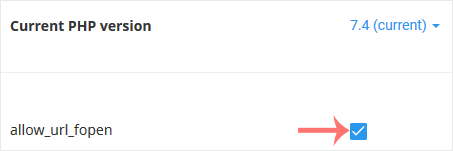
4. For enabling allow_url_fopen, tick mark it. For disabling it, uncheck it.
You can use CloudLinux's Select PHP Version to change your website's PHP...
You can use CloudLinux Selector to enable or disable available PHP...
Sometimes, we need to debug PHP. Hence, we need to enable display_errors...
You can modify PHP Memory Limit as per your needs using CloudLinux PHP...
You can modify PHP post_max_size as per your needs using CloudLinux PHP...