Whenever you log in to your VPS control panel, you will receive a login email alert. You can disable this function from the SolusVM. However, we recommend that you enable the feature for security reasons.
1. Log in to your SolusVM Control Panel.
2. From the top navigation bar, click on My Account.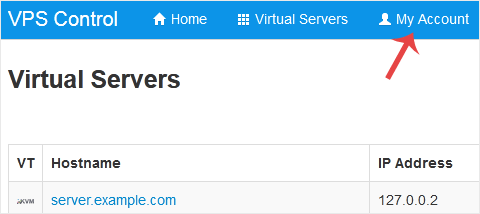
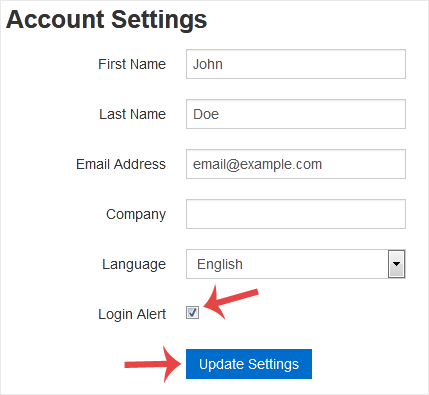
3. Under Account Settings, you can find a Login Alert option. If you wish to disable it, unmark the option. Alternatively, if you want to enable it, checkmark the option.
You can find the Control Panel URL, Username and Password in your VPS welcome...
If you can access your SolusVM VPS control panel, you can easily change your...
If you want to update your SolusVM VPS Control panel email address, follow...
You can check your SolusVM VPS status and determine whether the VPS is...
You can check VPS specifications such as RAM, disk space, virtualization, IP...